
VideoCalc1.0 - Google Play
You'll be able to see results in few seconds.
Publisher Description
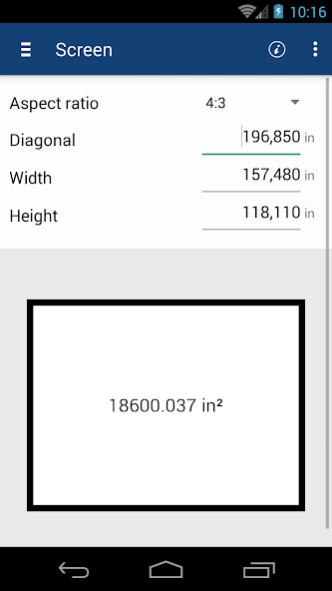
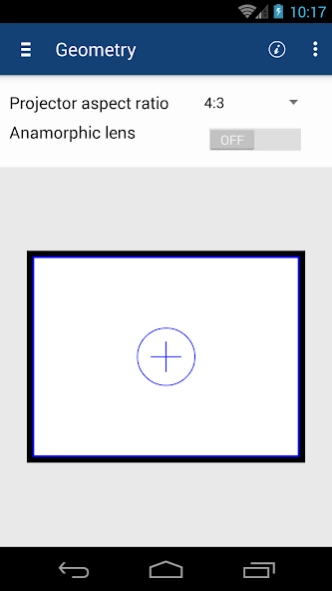
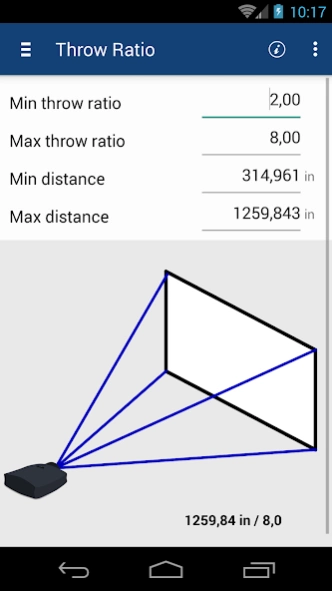
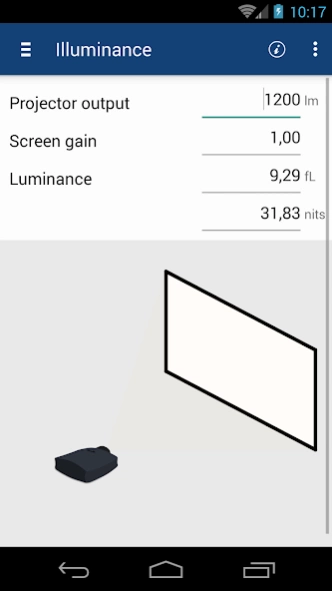
VideoCalc is The tool to help design Home Theaters in a consistent and easy way.
VideoCalc is The tool that will help you design Home Theaters in a consistent, quick and easy way.
It makes all the tedious calculations a breeze and ensures you can get the desired information in an intuitive way.
This is a must have for Home Theater enthusiasts, custom installers, video professionals and more.
VideoCalc is made up of several tools, that each in its own right provide you with essential calculations but do work together, ensuring the effect of every component on the system is taken into account.
Furthermore the tools are organized in a natural progression, guiding you through the process of designing a Home Theater that follows the industry best practices and standards.
Start by defining your screen. The tool allows easy calculation of any screen dimension based on the others.
Support for usual aspect ratios is provided, allowing you to pick amongst a selection of the most commonly used aspects.
For a projection system, the next step tackles the projector part, defining the aspect ratio of the matrix and the optional usage of an anamorphic lens.
The tool shows you how the image will fit within the defined screen and the deformation that the anamorphic lens would apply to the projected image.
This is also a fantastic tutorial tool to understand anamorphic systems.
The next step takes care of projector placement and/or selection in regards to the throw ratio requirements.
Enter the throw ratio range of your projector and check it can be placed to work with your screen.
Alternatively, enter the distance from the screen where you wish to place your projector and the tool computes the required throw ratio.
This is perfect for selecting your lens on higher-end projectors.
The Luminance tab allows to find out how big the screen can be with a given projector or how bright your projector must be to light up the defined screen, while respecting the industry best practices.
With the Angle tab, validate that your field of view is in accordance with industry accepted standards such as THX or SMPTE.
VideoCalc works in both imperial and metric units. Simply swipe down to reveal the unit selection view, giving you the choice between centimeters, meters, inches and feet.
About VideoCalc
The company that develops VideoCalc is Approach. The latest version released by its developer is 1.0.
To install VideoCalc on your Android device, just click the green Continue To App button above to start the installation process. The app is listed on our website since 2016-02-08 and was downloaded 0 times. We have already checked if the download link is safe, however for your own protection we recommend that you scan the downloaded app with your antivirus. Your antivirus may detect the VideoCalc as malware as malware if the download link to com.tinsys.avc.videocalc is broken.
How to install VideoCalc on your Android device:
- Click on the Continue To App button on our website. This will redirect you to Google Play.
- Once the VideoCalc is shown in the Google Play listing of your Android device, you can start its download and installation. Tap on the Install button located below the search bar and to the right of the app icon.
- A pop-up window with the permissions required by VideoCalc will be shown. Click on Accept to continue the process.
- VideoCalc will be downloaded onto your device, displaying a progress. Once the download completes, the installation will start and you'll get a notification after the installation is finished.
Program Details
System requirements
Download information
Pricing
Version History
version 1.0
posted on 2016-02-08
Disclaimer
Official Google Play Link
We do not host VideoCalc on our servers. We did not scan it for viruses, adware, spyware or other type of malware. This app is hosted by Google and passed their terms and conditions to be listed there. We recommend caution when installing it.
The Google Play link for VideoCalc is provided to you by apps112.com without any warranties, representations or guarantees of any kind, so access it at your own risk.
If you have questions regarding this particular app contact the publisher directly. For questions about the functionalities of apps112.com contact us.
